You can pin documents to the recent file list in Excel 2007 so they stay on the list and are easily found. Select the Office button to see the list of Recent Documents. Click the gray pin next to a document and the pin turns green and "pins" the document to the list.
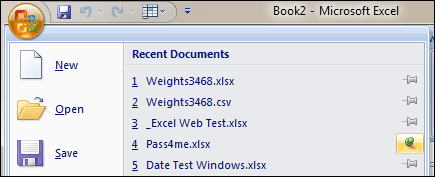
It's great for a document used infrequently and the file name and location seem to be figments of your imagination.
In Excel 2010 select the File menu and you can see the list has been renamed to Recent Workbooks. They've added a Recent Places list that allows you to "pin" folders. When you click a pin in either list, it turns blue AND moves to the top of the list.
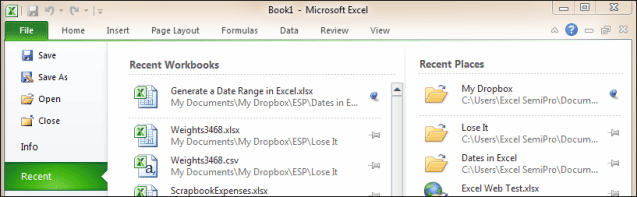
Pinning documents, workbooks, or places reduces mouse clicks and is a valuable memory aid. Good things in my book.