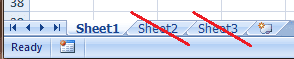
I opened Excel 2007 today and realized there were 3 worksheets in a new workbook. That's better than the 16 or so Excel had in times past, but more than one worksheet in a workbook is overkill, if you ask me.
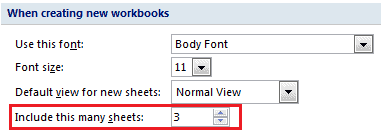
To change this travesty in Excel 2007, I'll choose the Office Button > Excel Options. In the Excel Options dialog box the Popular tab is already highlighted, so under the section for When creating new workbooks I will change the default setting for Include this many sheets to the value 1. There. Problem solved.
In Excel for Mac choose Excel > Preferences > General then change the Sheets in new workbook to the value you most desire. Go back to 16 worksheets for all I care. Just kidding.
In Excel 2010 choose File > Options, select the General tab to get to the Include this many sheets setting.
In Excel 2003 choose Tools > Options, select the General tab to change the Sheets in new workbook setting.